
Photo Editing for Accessory Brands
Bags, belts, watches, and hats — edited with the detail-level precision small, texture-heavy products need.
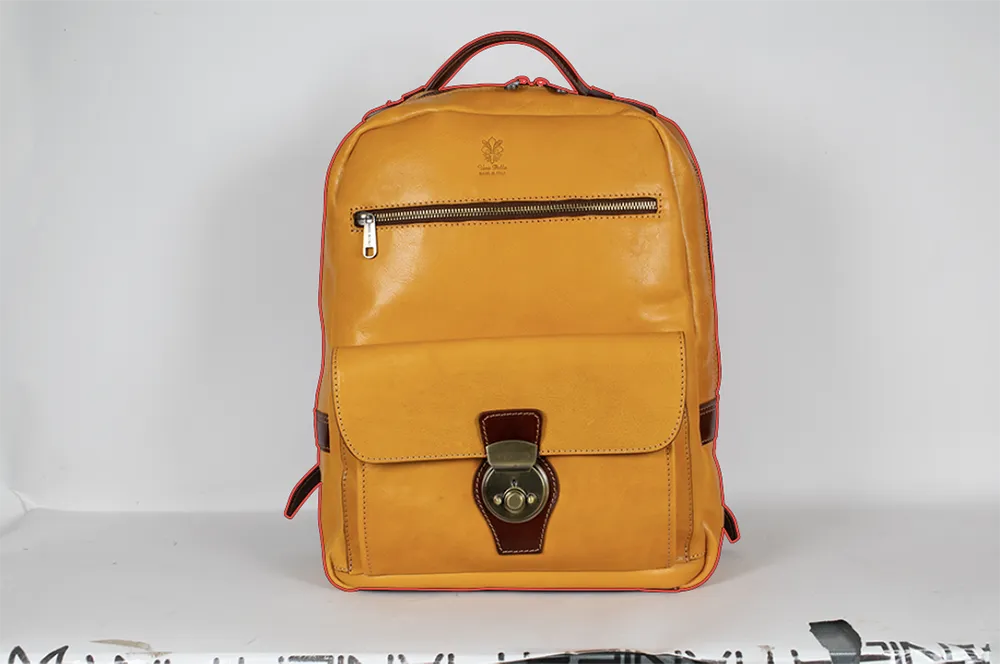
Before & After: Accessory Edits
Watches and bags cleaned up, color-balanced and placed on marketplace-ready backgrounds.
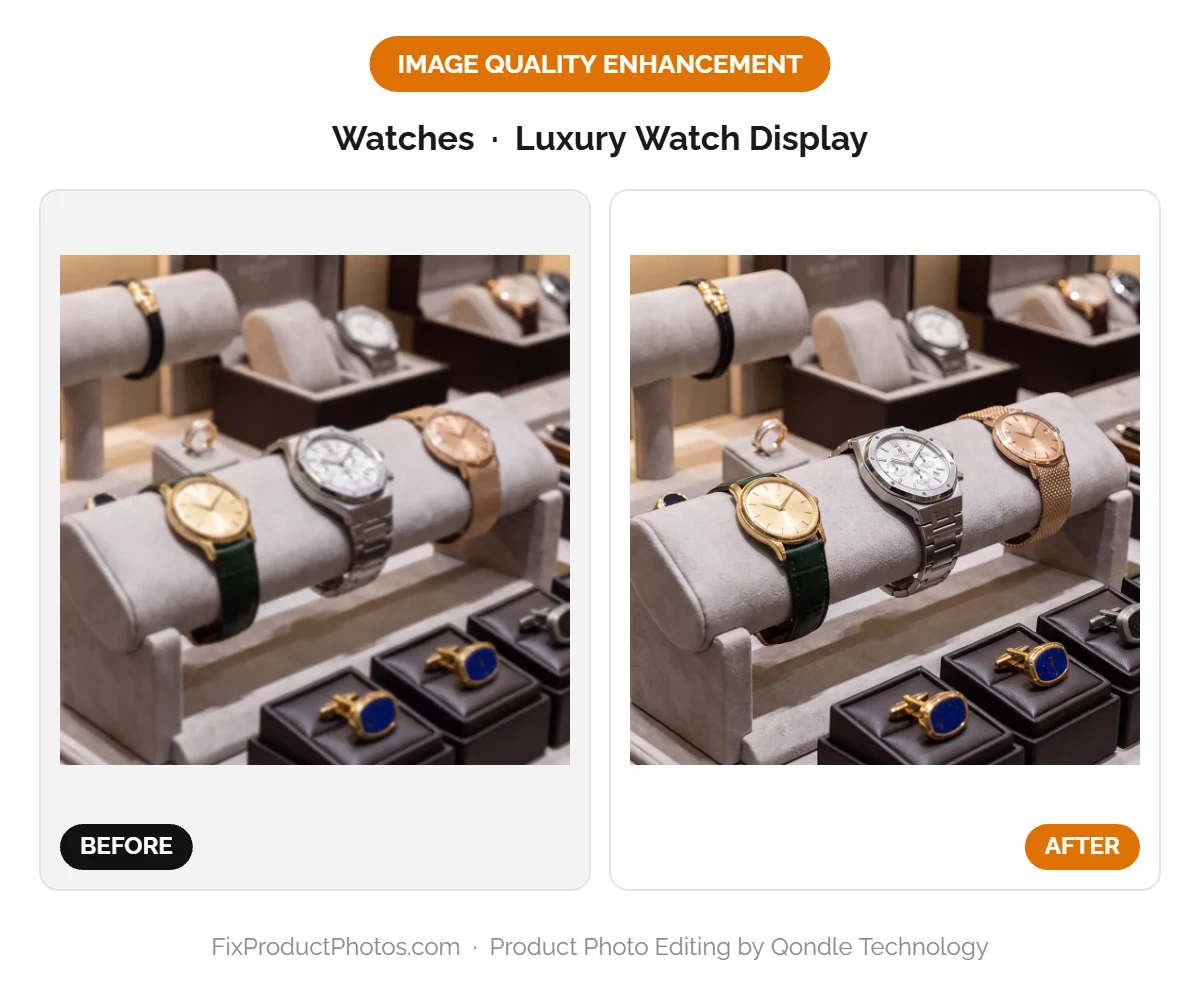
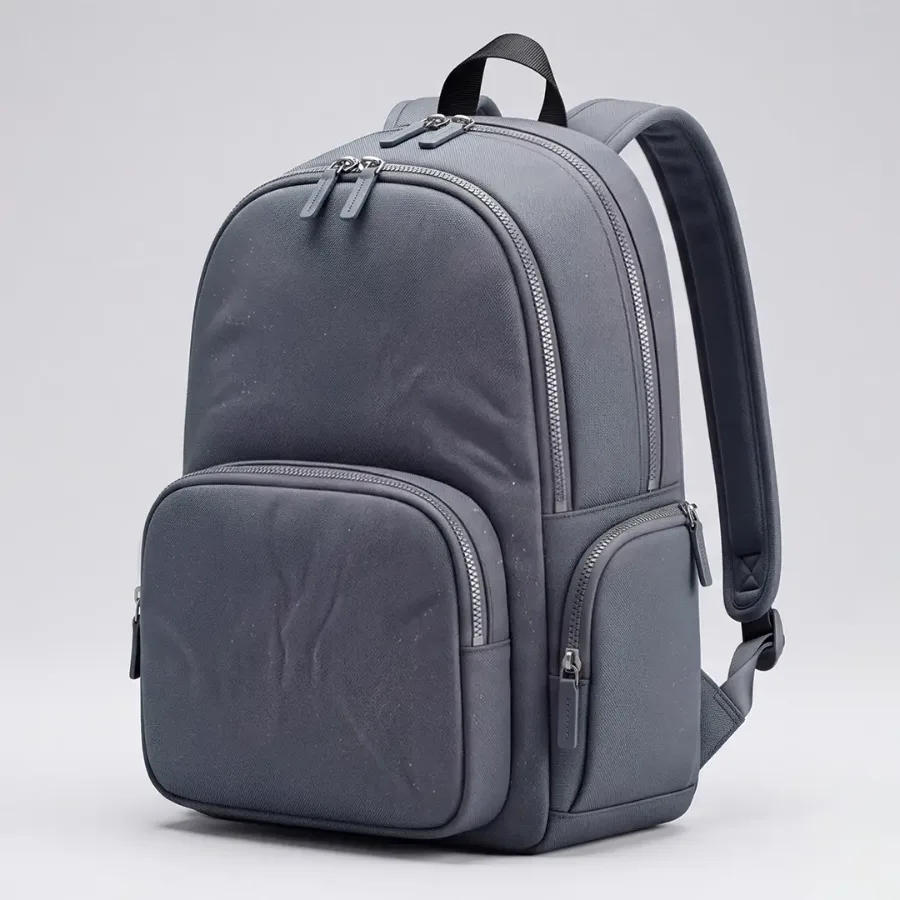
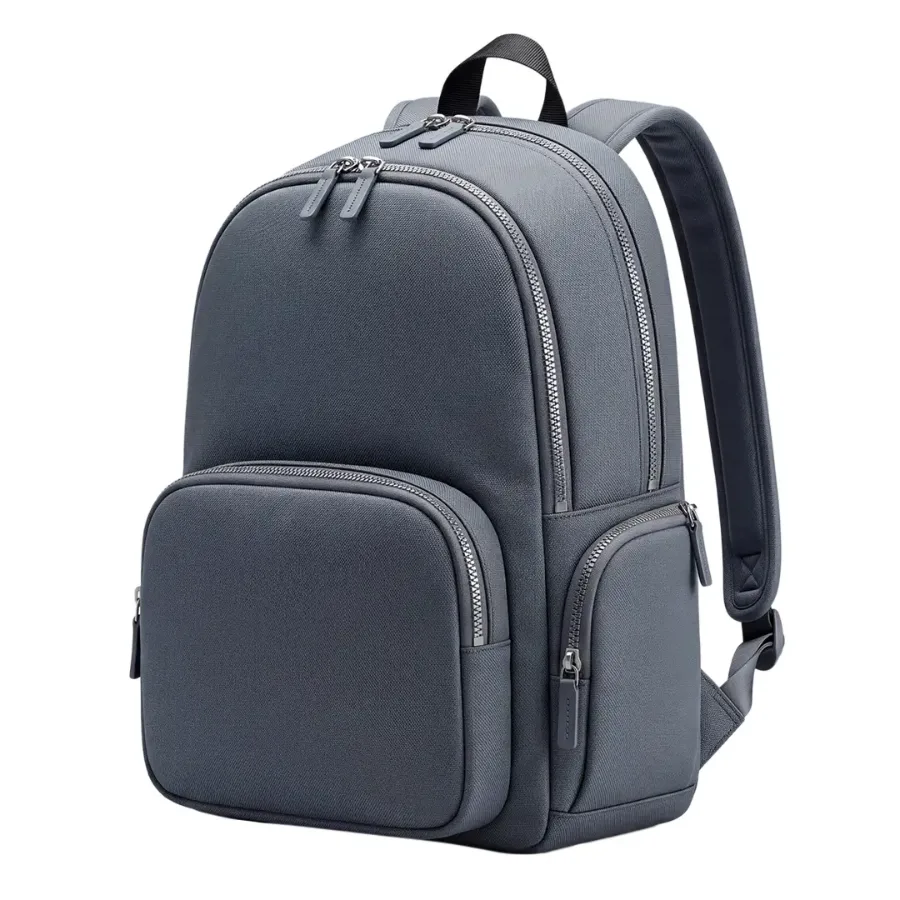
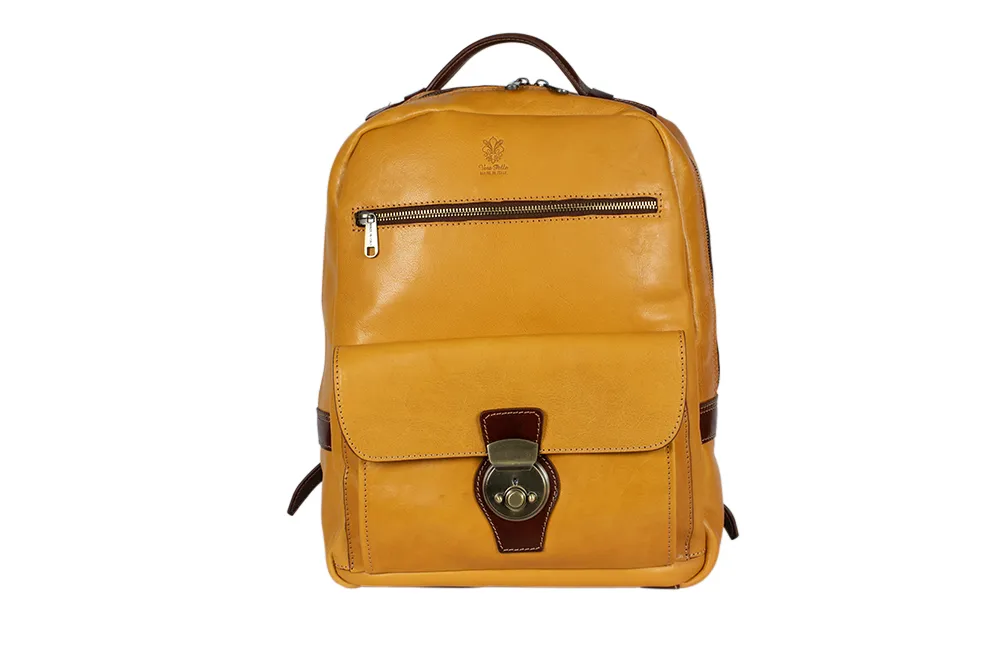
What Accessory Photography Needs
Accessories are judged on texture and hardware detail more than almost any other product category.
Send a few samples through our free trial and we will show you exactly how clean the hardware and texture can look before you commit to a full batch.
Material Texture & Grain
Leather grain, woven fabric, and metal hardware all need to read clearly — we retouch without smoothing away the real texture.
Hardware & Clasp Detail
Buckles, zippers, and clasps are often the first thing buyers zoom in on — kept crisp and clean in every shot.
Consistent Product Scale
Small products shot at different distances can look mismatched side-by-side — we help normalize scale and framing across a batch.
Clean Marketplace Backgrounds
Background removal and formatting matched to whichever platform you’re listing on.
Color Variant Matching
When one product comes in many colors, we check each shade against the real item so every variant photo looks accurate and consistent.
Flat-Lay Styling Cleanup
We fix crooked angles, stray threads, and uneven lighting so flat-lay layouts look tidy and sharp.
Packaging & Gift Box Shots
We clean up fingerprints, dents, and uneven color on boxes and pouches, not just the product inside.
Bulk SKU Consistency
When you have hundreds of accessories to shoot, every photo gets the same crop, angle, and background across your whole catalog.
Services We Recommend
Pick what your catalog needs — every service starts with 3 free trial edits.
Focus Stacking & HD Composition →
Keep an entire small product — strap to buckle — sharp in one composite.
High-End Retouching →
Texture-preserving cleanup for leather, fabric, and metal hardware.
Background Removal & Clipping Path →
Precise cutouts around straps, chains, and other fine edges.
Image Upscaling →
Sharper detail for close-up and zoomed accessory shots.
Why Accessory Photos Need a Closer Look
Accessories are small. That is what makes them hard to shoot and hard to edit. A belt buckle, a watch clasp, a hair clip — these items are tiny, but shoppers zoom in close before they buy. A small flaw that you would never notice on a full-size bag looks huge once a customer taps to zoom in on a pair of cufflinks.
Hardware is one of the trickiest parts to get right. Buckles, zippers, clasps, rivets, and studs all need careful cleanup. Dust, fingerprints, and scratches have to go, but the real shape and shine of the metal has to stay. Our product retouching service is built for exactly this kind of close, careful work.
Material texture matters just as much as hardware. Leather should look like leather, with its natural grain. Suede should look soft, not shiny. Many editing tools smooth everything into one flat surface, which makes the material look fake. Shiny metal parts, like a watch case or a polished buckle, often need the same light-catching care we use for fine jewelry, which is why our jewelry photo editing team sometimes helps with accessory hardware too.
Color is another place where accessories get tricky. A single wallet or scarf might come in eight or ten colors, and each one has to look true to the real product while looking consistent next to the others. If the brown belt looks orange and the black belt looks grey, customers lose trust before they even read the description.
And then there is scale. Accessory brands often shoot hundreds or even thousands of small items at once. Every photo needs the same clean background, crop, and look, so your whole catalog feels like one set. Clean, consistent cutouts start with careful work like our background removal and clipping path service, which is built to handle small, oddly-shaped items one by one.
Flat-Lay, Worn, or Styled: Which Shot Works Best for Accessories
Flat-lay shots work well when you want to show shape, pattern, or several items laid out together, like a scarf folded neatly or a set of hair clips arranged in a row. These shots need straight lines, even shadows, and accurate color, since there is no model to give the eye anything else to focus on.
On-model or worn shots are best when scale and fit matter. A belt only makes sense once you see it on a waist, and sunglasses only make sense once you see them on a face. These shots need a lighter editing touch — the product has to stand out clearly, but the model still has to look natural.
Styled or hung shots — a hat on a stand, a necklace on a hook, a bag hanging against a wall — sit in between. They show the product in a realistic way without needing a full model. The editing work here is often about removing the stand, hook, or prop cleanly, and making sure the shadow still looks real once it is gone.
Why Choose FixProductPhotos?
Free Trial, No Commitment
Upload a handful of your real photos and we’ll edit them the same way we’d edit your full order — no credit card, no contract, no pressure. You only pay once you’ve seen exactly what we can do with your own images.
24–48 Hour Turnaround
Most orders come back within 24 to 48 hours, even during busy seasons like holiday restocks. Need something sooner? Tell us the deadline and we’ll let you know if a rush turnaround is possible.
100% Satisfaction Guarantee
If an edited photo doesn’t look right, send it back and we’ll fix it — as many times as it takes, at no extra cost. We don’t consider an order finished until you’re genuinely happy with every image.
Dedicated Editing Team
Every photo passes through a trained human editor, then a second editor for quality control. We don’t run your images through a one-click filter and call it done — someone is actually looking at each one.
How It Works
Start Your Free Trial
Send us 3-5 sample photos through our free trial form. No payment info needed — we just want to show you what your images will look like after our team edits them.
We Edit It
A trained editor works on your photos by hand, then a second editor reviews every image before it goes back to you, so mistakes get caught before you ever see them.
Get Your Photos
Download your finished images in whatever format and size you need — ready to upload straight to your store, marketplace listing, or print file. Most orders ship back within 24 to 48 hours.
Helpful Guides From Our Editing Team
Practical, experience-based articles to help you shoot, prepare and list better product photos.
Frequently Asked Questions
Can you keep leather grain and fabric texture visible after retouching?
Yes — texture preservation is a priority, not an afterthought, in our retouching process.
Do you clean up scratches on metal hardware like buckles and clasps?
Yes, we clean up dust and minor scratches on hardware while keeping the metal’s natural finish.
Can you cut out fine details like thin straps or chains precisely?
Yes, clipping paths are done by hand for precise edges around thin or complex shapes.
Can you normalize scale across a batch of different-sized accessories?
Yes — let us know your reference scale and we’ll frame the batch consistently.
Is the free trial available for accessory photos?
Yes — send 2-3 raw accessory photos and we’ll return finished edits with no payment required.
Can you edit photos of really small items, like earrings, hair clips, or cufflinks?
Yes. We work with small and oddly-shaped items all the time. We trace edges by hand, so the background stays clean even around tiny gaps and curves.
Can you match colors across different variants of the same accessory, like a belt or scarf?
Yes. When one product comes in several colors, we check each shade against the real item so all your variant photos look accurate and consistent with each other.
Do you edit both flat-lay and on-model accessory photos?
Yes. We handle flat-lay shots, worn or on-model shots, and styled or hung shots. Each style needs a slightly different touch, and our editors know the difference.
How do you keep hundreds of accessory photos looking the same across my whole catalog?
We build a style guide from your first batch — same background, same crop, same color tone — and follow it across every photo after that, so your catalog looks like one consistent set.
Can you edit packaging or gift box photos alongside the product?
Yes. We clean up fingerprints, dents, and uneven color on boxes and pouches, so your packaging shots look as sharp as your product shots.
What file formats do you deliver for marketplace listings?
Whatever your platform needs — JPG or PNG, sized to the exact pixel dimensions Amazon, Etsy, or your store requires.
See Your Accessory Shots Edited, Free
Send 2–3 raw photos and see our quality firsthand — no payment required.
Get 3 Free Trial Edits