
eBay Product Photo Editing
Clean, trustworthy product photos that help your eBay listings stand out and convert — with backgrounds and framing suited to how buyers actually browse the platform.
Before & After: eBay-Ready Edits
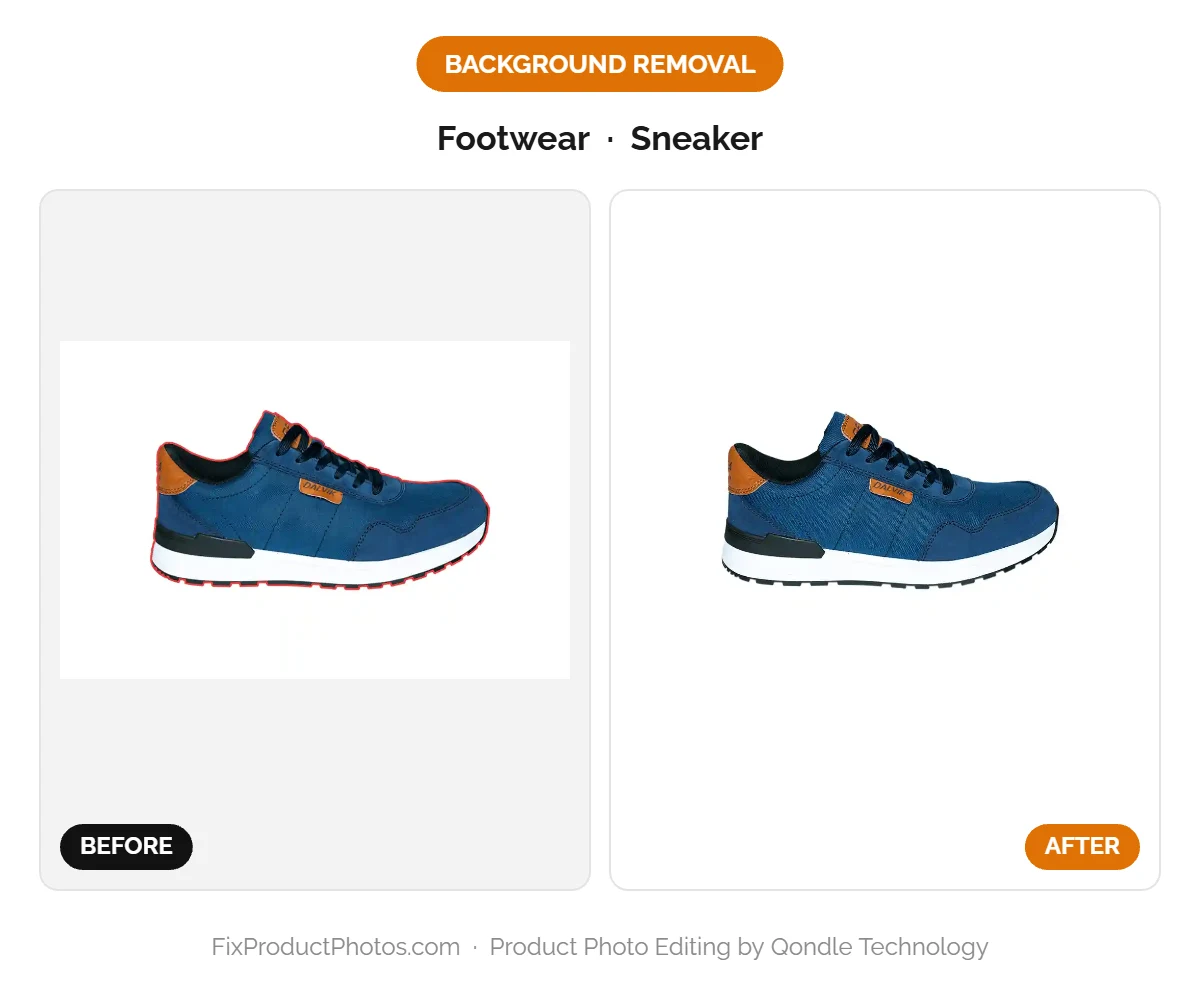
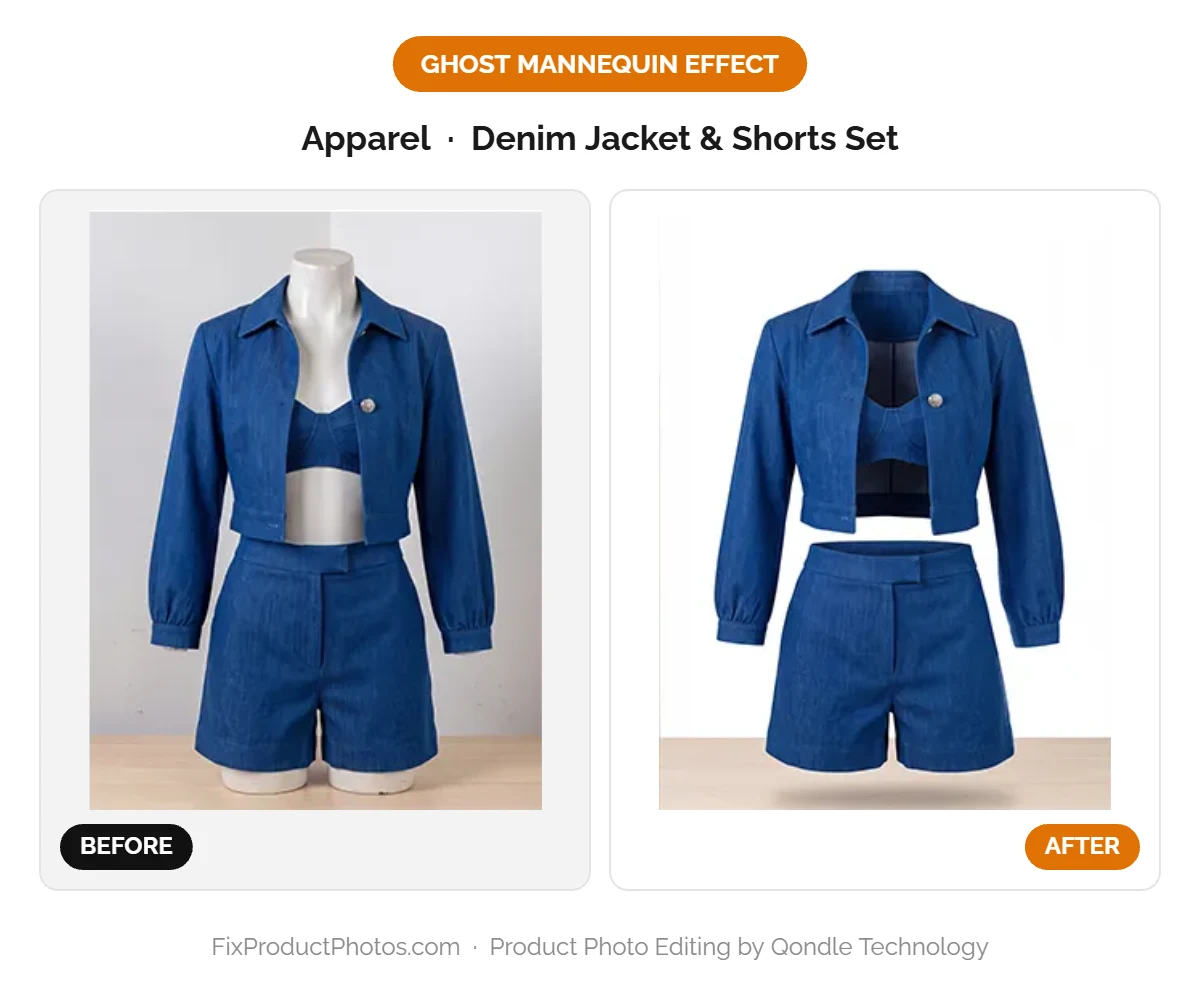
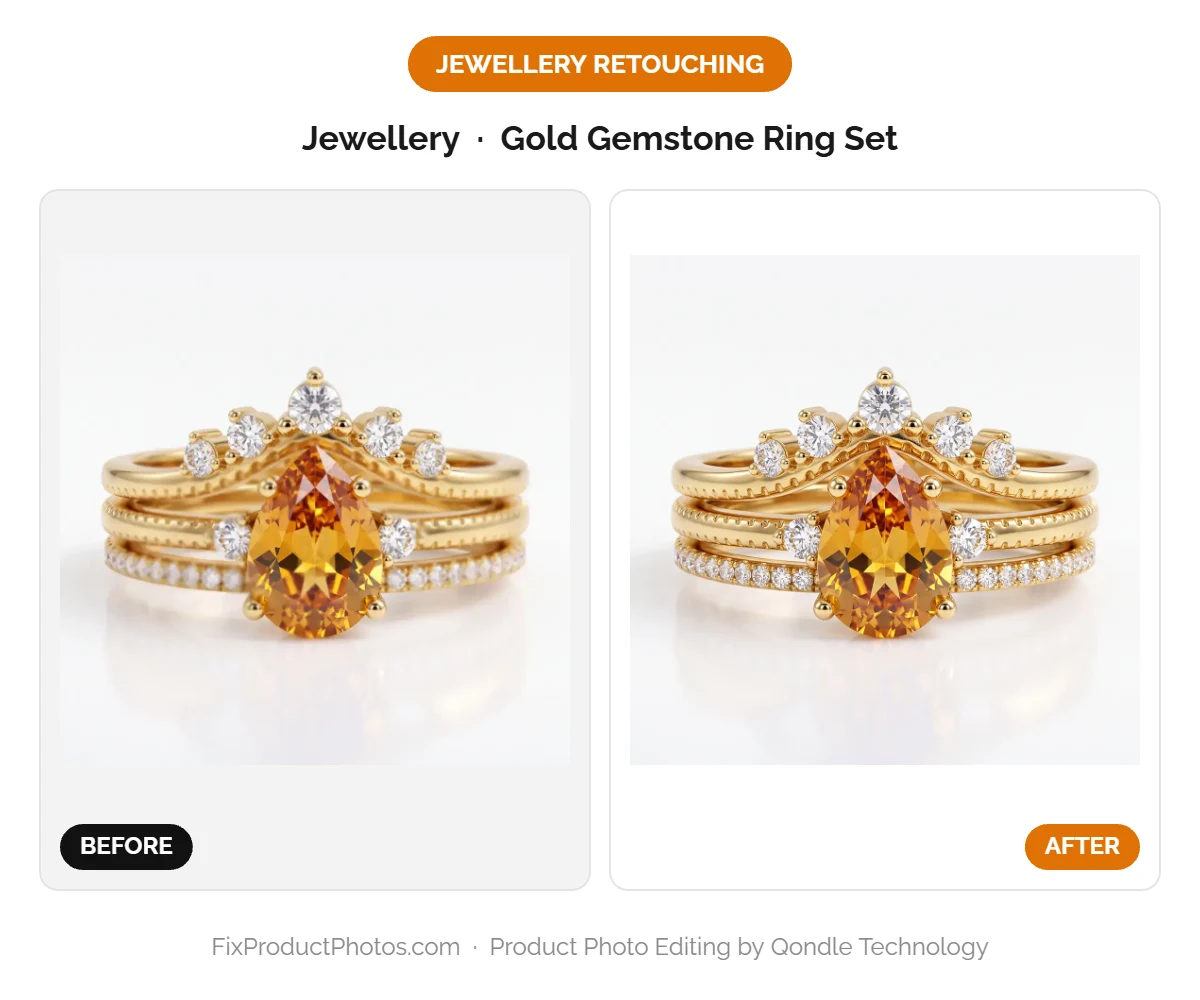
Real product photos edited to marketplace standards: clean backgrounds, consistent framing and accurate color.
What eBay Listings Need
eBay buyers compare listings side by side — clean, consistent photos are a direct trust signal.
Clean, Distraction-Free Backgrounds
A tidy background keeps buyer attention on the product itself rather than clutter from the original shot.
Multiple Angle Consistency
eBay listings often show several angles — we keep lighting and color consistent across the full set for one listing.
Condition-Accurate Detail
For used or collectible items especially, photos need to represent true condition clearly — we retouch without hiding real wear.
Fast Turnaround for High-Volume Sellers
Sellers moving a lot of inventory need edits back quickly to keep listings turning over.
Services We Recommend for eBay Sellers
Pick what your catalog needs — every service starts with 3 free trial edits.
Background Removal & Clipping Path →
Clean, consistent backgrounds across every listing photo.
High-End Retouching →
Dust and surface cleanup that keeps condition representation honest.
Image Upscaling →
Sharper images for buyers inspecting detail before bidding or buying.
Focus Stacking & HD Composition →
Keep an entire item sharp across close-up detail shots.
Why eBay Photos Are a Different Challenge
eBay is not like other shopping sites. On Amazon or a big retail store, most things are brand new. On eBay, a lot of items are used. People sell old toys, worn clothes, vintage cameras, and things from estate sales. Some sellers clear out garage lots or office gear by the pallet. This mix makes eBay photos different. A photo on eBay has to show a real, used thing, not a perfect new one from a catalog.
Because so many eBay items are used, the photos have to tell the truth. eBay even tells sellers to show scratches, dents, and worn spots up close. When a buyer sees the real flaws before they buy, they do not feel tricked later. Fewer buyers open an “item not as described” claim. Honest photos protect the seller just as much as the buyer. That is why we do careful product retouching that keeps every true mark on the item, while still making the photo clean and clear to look at.
On eBay, your first photo is your best shot at getting clicked. That one photo shows up small in search results, next to dozens of other sellers’ items. Buyers scroll fast. If your thumbnail looks dark, blurry, or messy, they skip right past it. That is where good background removal and clipping path work helps the most, since it clears away clutter behind the item so the item itself is what buyers notice first.
eBay sellers are not all the same kind of seller either. Some are regular people selling a few things from their closet. Others are full-time power sellers and liquidators moving hundreds of items a month. Both need photos that look trustworthy and sell fast, without spending hours editing by hand.
eBay also asks for sharp, zoom-ready photos, since buyers like to zoom in and check small details before they bid or buy. If your photos were shot on an older phone or in a rush, our image upscaling and resolution enhancement service brings them up to a sharp, zoom-friendly size, so every detail holds up under a close look.

What We Fix for eBay Listings
Gallery Thumbnail Optimization
We crop and center your best photo so it stands out and gets clicked in crowded eBay search results, where your first image competes against dozens of others.
Used Electronics & Collectibles Lighting
We fix glare, reflections, and screen glow that are common problems with electronics, glassware, and collectibles, so buyers see the real item clearly.
Watermark & Border Removal for Compliance
We remove old watermarks, borders, and added text so your listings meet eBay’s picture policy and don’t get flagged or removed.
Zoom-Ready Resolution
We upscale and sharpen your photos to the size eBay recommends, so buyers get a clear, detailed view when they zoom in.
New Retail Items vs Used & Secondhand Listings
When you sell something brand new on eBay, like a new sealed phone case or new-with-tags clothing, your photos can look like typical product shots. Bright white background, even lighting, the item shown at its best. There’s nothing to hide, because there’s no wear to show.
Used and secondhand items work the opposite way. A used camera, a worn leather bag, or a vintage collectible needs photos that show it exactly as it is. The background can still be clean and distraction-free, but the item itself has to show every scratch, every stain, every missing piece. Hiding flaws with heavy editing goes against eBay policy, and it’s also how sellers end up with returns and bad feedback.
Liquidation lots and bulk resale add another layer. A reseller might list dozens of similar used items in a week, office chairs, returned electronics, pallet goods. These listings need fast, consistent editing across every photo, so each listing looks professional without taking all day, while still being honest about the condition of each individual piece.
Why Choose FixProductPhotos?
Free Trial, No Commitment
Upload a handful of your real photos and we’ll edit them the same way we’d edit your full order — no credit card, no contract, no pressure. You only pay once you’ve seen exactly what we can do with your own images.
24–48 Hour Turnaround
Most orders come back within 24 to 48 hours, even during busy seasons like holiday restocks. Need something sooner? Tell us the deadline and we’ll let you know if a rush turnaround is possible.
100% Satisfaction Guarantee
If an edited photo doesn’t look right, send it back and we’ll fix it — as many times as it takes, at no extra cost. We don’t consider an order finished until you’re genuinely happy with every image.
Dedicated Editing Team
Every photo passes through a trained human editor, then a second editor for quality control. We don’t run your images through a one-click filter and call it done — someone is actually looking at each one.
How It Works
Start Your Free Trial
Send us 3-5 sample photos through our free trial form. No payment info needed — we just want to show you what your images will look like after our team edits them.
We Edit It
A trained editor works on your photos by hand, then a second editor reviews every image before it goes back to you, so mistakes get caught before you ever see them.
Get Your Photos
Download your finished images in whatever format and size you need, ready to upload straight to your store, marketplace listing, or print file. Most orders ship back within 24 to 48 hours.
Helpful Guides From Our Editing Team
Practical, experience-based articles to help you shoot, prepare and list better product photos.
Frequently Asked Questions
Can you clean up a background without hiding real item condition?
Yes — for used or collectible items we clean up the background and dust while keeping real wear and condition visible and accurate.
Can you keep multiple angle photos consistent for one listing?
Yes, we match lighting and color across a full set of angle shots.
Do you offer faster turnaround for high-volume sellers?
Yes — let us know your volume and deadline needs and we’ll scope a turnaround that fits.
How do we send bulk eBay listing photos?
Google Drive, Dropbox, WeTransfer, or FTP — whatever’s easiest on your end.
Is the free trial available for eBay listing photos?
Yes — send 2-3 raw photos and we’ll return finished edits with no payment required.
What size should my eBay photos be?eBay requires photos to be at least 500 pixels on the longest side, but recommends 1600 x 1600 pixels. Larger, sharper photos look better in eBay’s zoom feature and on mobile phones, where most buyers shop.
How many photos can I add to an eBay listing?eBay allows up to 24 photos per listing at no extra cost. We recommend using as many as you reasonably can — showing every angle, close-up, and flaw gives buyers confidence and cuts down on returns.
Can I use stock or catalog photos for a used item?No. eBay’s picture policy does not allow stock or catalog photos for used, damaged, or defective items — your photos must show the actual item you’re selling. A small number of categories have limited exceptions, but used items generally need real photos of the real item.
Do I need to photograph damage or flaws on a used item?Yes, and eBay actually recommends it. Showing flaws clearly, rather than hiding them, is one of the best ways to avoid “item not as described” disputes, returns, and negative feedback.
Which photo becomes my listing’s thumbnail in search results?Your first photo automatically becomes the main thumbnail shown in eBay search results. It should show the item centered, well-lit, and fully in frame, since it’s competing for attention against dozens of other listings on the same results page.
Are watermarks, borders, or added text allowed on eBay photos?No. eBay’s picture policy prohibits watermarks, added borders, and added text or marketing material on listing photos. Listings that break this rule can be removed or restricted, so we strip out any old watermarks or borders before delivering your edited photos.
Get Your eBay Listings Edited, Free
Send 2–3 raw photos and see our quality firsthand — no payment required.
Get 3 Free Trial Edits