
Shopify Product Photo Editing
Your Shopify store is your brand, not just a listing — so the photos need to feel like one cohesive collection, not a pile of mismatched shots. We standardize background, lighting, and color across your whole catalog.
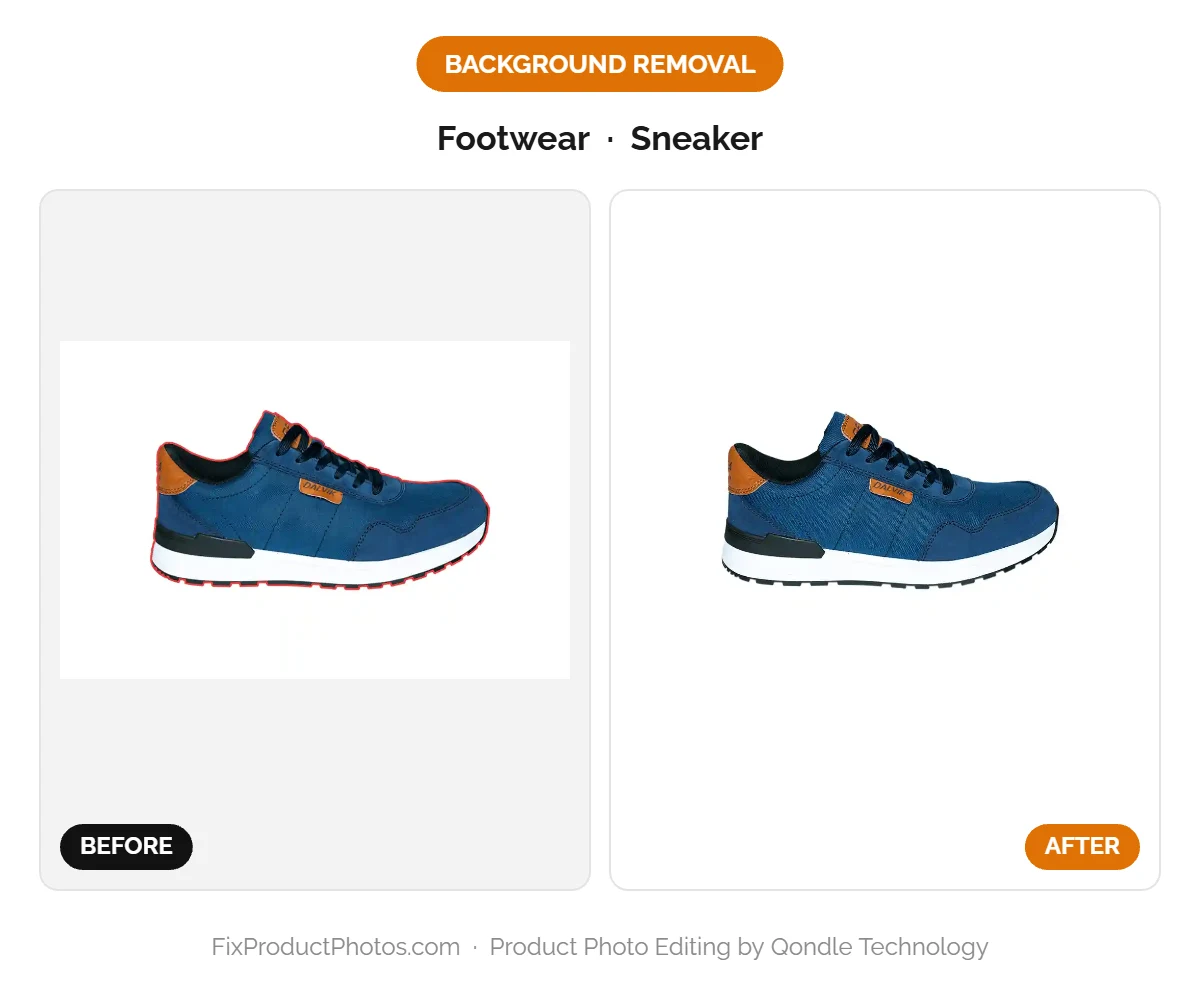
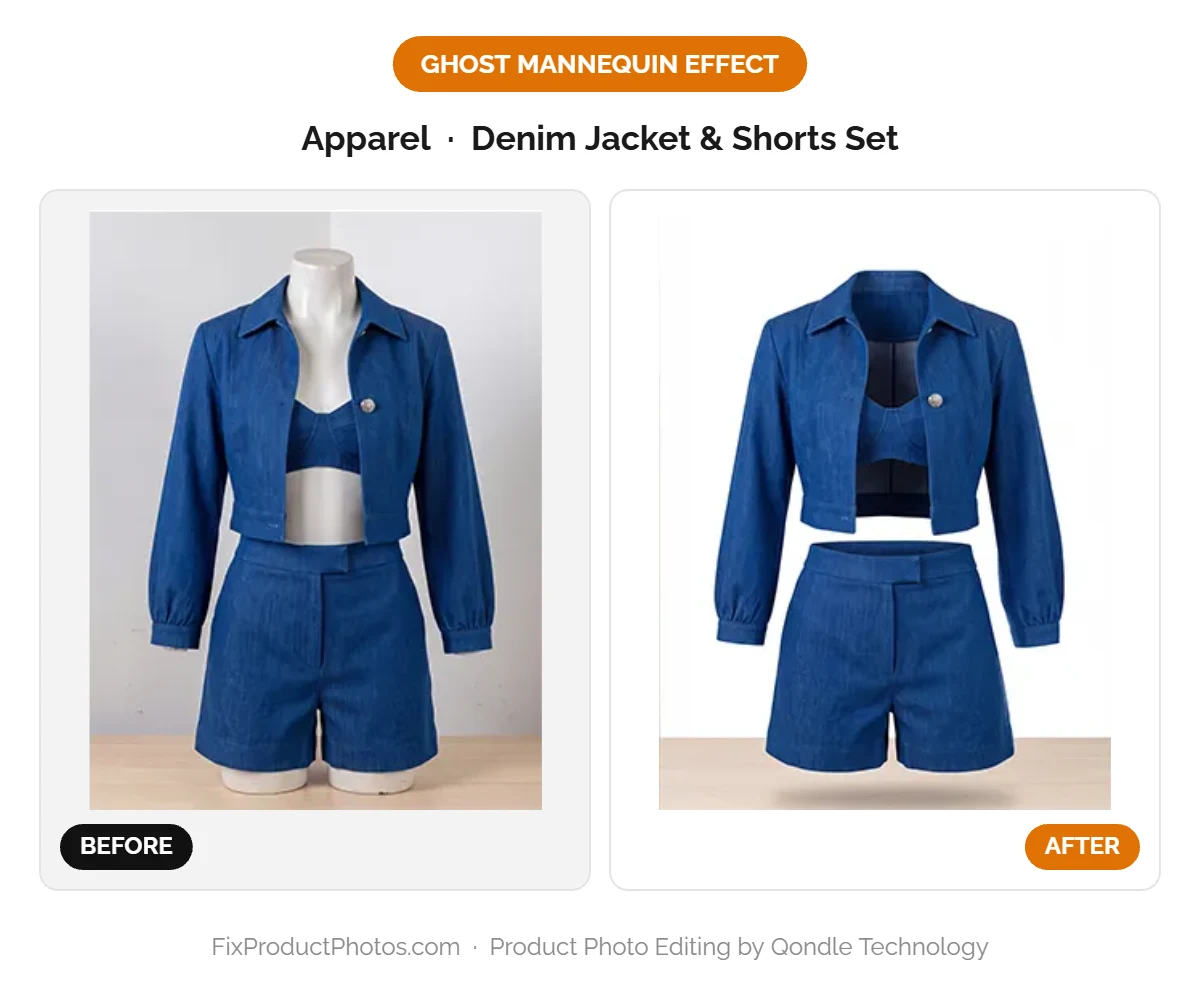
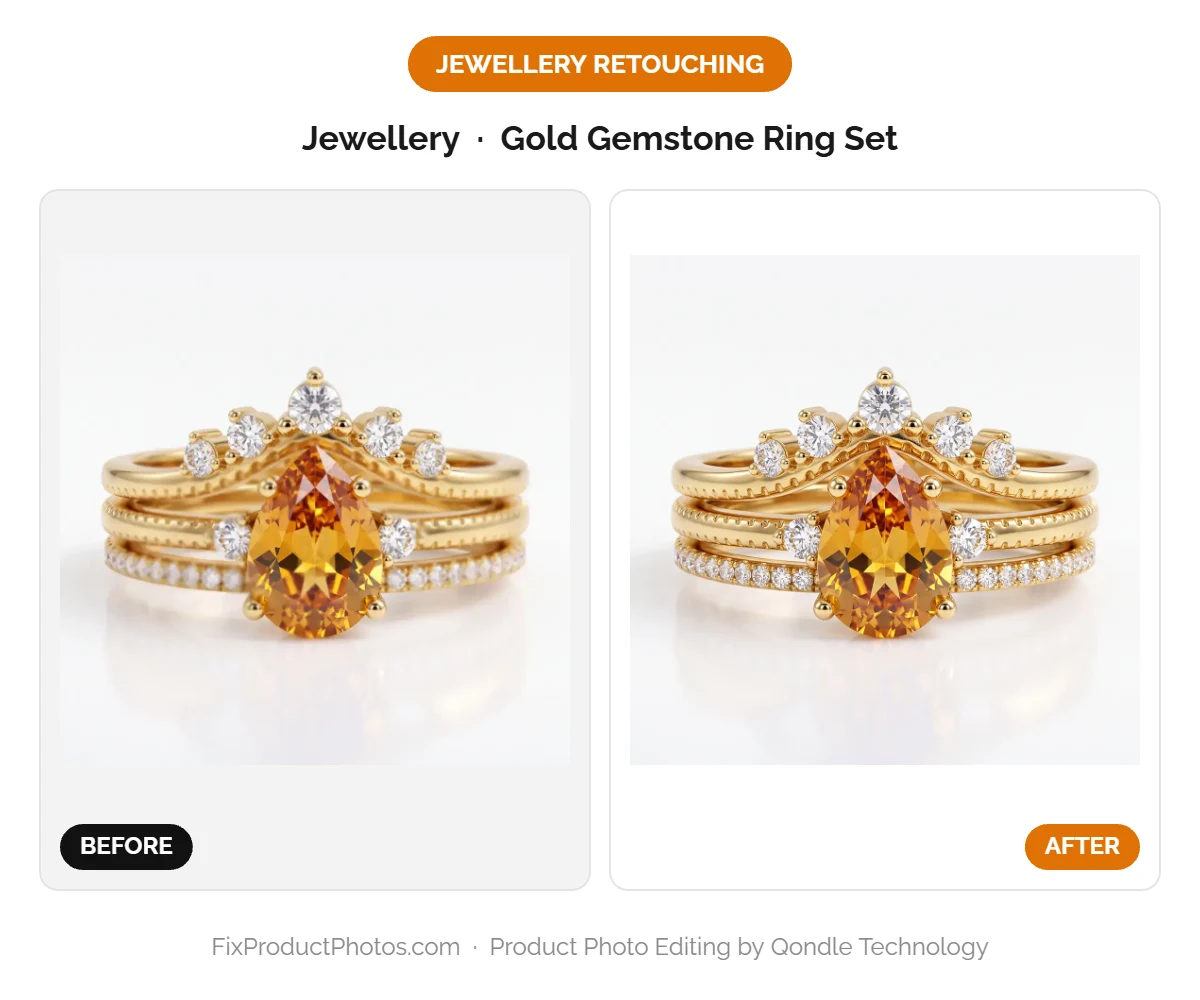
Before & After: Shopify-Ready Edits
Real product photos edited to marketplace standards: clean backgrounds, consistent framing and accurate color.
What a Shopify Store Needs
There’s no single platform rulebook on Shopify — the bar is set by your own brand, and consistency is what makes a store feel professional.
One Cohesive Catalog Look
Products shot across different sessions, lighting setups, or even different suppliers need to look like they belong in the same store.
Brand-Matched Backgrounds
Whether it’s pure white, a soft color, or a styled scene — we match the background style to your brand, consistently across every SKU.
Fast-Growing Catalogs
As you add new products or suppliers, new photos need to match your existing catalog’s look without starting from scratch each time.
Conversion-Ready Detail
Clear, sharp product detail that gives customers confidence to buy without seeing the item in person.
Services We Recommend for Shopify Stores
Pick what your catalog needs — every service starts with 3 free trial edits.
Background Removal & Clipping Path →
Brand-consistent backgrounds across your whole catalog.
Ghost Mannequin & Apparel Retouching →
A natural worn look for apparel stores without a model or visible mannequin.
High-End Retouching →
Surface and color retouching that keeps your catalog looking uniform.
Color Correction via Retouching →
Consistent color and exposure matching across products shot at different times.
Why Shopify Stores Need a Different Photo Strategy
A Shopify store is not a marketplace listing. On Amazon or Etsy, you follow someone else’s rules. On your own Shopify store, you set the rules. This is good news, but it also means your photos need a real plan. You cannot just copy what works on a marketplace and expect it to work on your own site.
On a marketplace, the main photo almost always needs a pure white background. On Shopify, you do not have that rule. You can use a background color that matches your brand, a soft grey, or a simple branded scene. This gives you more freedom, but it also means every photo needs careful editing so the cutout is clean and the new background looks natural. Our background removal and clipping path service handles this for you, so your product sits perfectly on any background you choose.
Speed matters just as much as looks. A Shopify store with huge, heavy photos loads slowly. Slow pages hurt your SEO ranking and they hurt sales, because shoppers leave before the page even finishes loading. But small, blurry photos look cheap. The real goal is a photo that looks sharp and loads fast at the same time, and that comes from proper sizing and smart compression, not from just shrinking a file until it looks bad.
Your whole store also needs to look like one brand, not a pile of random photos. If every product photo has a different background, a different light, or a different color tone, your store looks messy. Our product retouching service matches the lighting, color, and style across your entire catalog, so every photo on your site feels like it belongs together.
Finally, your Shopify theme matters more than most store owners realize. Every theme expects certain image shapes and sizes for its hero banner, its product grid, and its zoom view. A photo that looks great on one theme can look stretched or cropped wrong on another. When photos are resized for a new layout, they can lose sharpness, especially on zoom. Our image upscaling and resolution enhancement service keeps zoom images crisp, even after resizing for your exact theme.
What We Fix for Shopify Stores
Page-Speed-Friendly File Sizes
We resize and compress every photo so it looks sharp but loads fast. Your store stays quick, which helps both SEO and sales.
Theme-Matched Image Dimensions
We size each photo to fit your Shopify theme’s hero, grid, and zoom areas correctly, with no stretching and no awkward cropping.
Hero & Banner Image Editing
We clean up and resize your homepage banners and hero images so they look sharp on every screen, from desktop to mobile.
Product Grid Thumbnail Cropping
We crop every product photo to the same shape and size, so your collection pages look neat and lined up.
Image Quality vs Page Speed: Finding the Balance
Many Shopify store owners upload huge photos straight from their camera or phone, thinking bigger means better. It does not. A giant, uncompressed photo file makes your page slower to load. Shoppers notice a slow page right away, and many simply leave before your products even appear on screen.
Slow pages also hurt your SEO. Search engines favor stores that load fast, because a fast store gives a better experience to visitors. If your product photos are too heavy, your whole site can rank lower in search results, even if your products are great.
The fix is not to use tiny, low-quality photos either. The real answer is proper editing: the right pixel size for each spot on your page, and smart compression that shrinks the file without hurting how it looks. This way, your photos stay sharp, your page stays fast, and you do not have to choose between the two.
Why Choose FixProductPhotos?
Free Trial, No Commitment
Upload a handful of your real photos and we’ll edit them the same way we’d edit your full order — no credit card, no contract, no pressure. You only pay once you’ve seen exactly what we can do with your own images.
24–48 Hour Turnaround
Most orders come back within 24 to 48 hours, even during busy seasons like holiday restocks. Need something sooner? Tell us the deadline and we’ll let you know if a rush turnaround is possible.
100% Satisfaction Guarantee
If an edited photo doesn’t look right, send it back and we’ll fix it — as many times as it takes, at no extra cost. We don’t consider an order finished until you’re genuinely happy with every image.
Dedicated Editing Team
Every photo passes through a trained human editor, then a second editor for quality control. We don’t run your images through a one-click filter and call it done — someone is actually looking at each one.
How It Works
Start Your Free Trial
Send us 3-5 sample photos through our free trial form. No payment info needed — we just want to show you what your images will look like after our team edits them.
We Edit It
A trained editor works on your photos by hand, then a second editor reviews every image before it goes back to you, so mistakes get caught before you ever see them.
Get Your Photos
Download your finished images in whatever format and size you need, ready to upload straight to your store, marketplace listing, or print file. Most orders ship back within 24 to 48 hours.
Helpful Guides From Our Editing Team
Practical, experience-based articles to help you shoot, prepare and list better product photos.
Frequently Asked Questions
Can you match the style of photos we already have on our store?
Yes — send existing photos as a reference and we’ll match background, lighting, and color for new products.
We get product photos from different suppliers — can you make them look consistent?
Yes, this is one of the most common Shopify requests we handle — normalizing background and color across mixed sources.
Do you support ongoing, recurring batches as we add new products?
Yes — many Shopify stores send us new SKUs on a rolling basis as their catalog grows.
Can you do both clean catalog shots and styled lifestyle images?
Yes, we can edit for either style, or both, depending on what each page of your store needs.
Is the free trial available for Shopify product photos?
Yes — send 2-3 raw photos and we’ll return finished edits with no payment required.
What image size should I use for my Shopify product photos?Most Shopify stores work well with square photos around 2048 by 2048 pixels. We can resize and edit your photos to this size, or to whatever size your specific theme needs.
Can you edit my photos to match my Shopify theme’s layout?Yes. We check your theme’s hero, grid, and zoom image requirements and size your photos to fit correctly, so nothing looks stretched or cropped wrong.
Do I have to use a white background on my Shopify store?No. Unlike marketplaces, Shopify does not force a white background rule. We can place your product on any color or branded background you like.
Will smaller, compressed photos look worse on my store?No, not if they are edited properly. We compress photos so the file size is smaller and loads faster, while keeping the photo looking sharp and clear.
Will editing my photos help my Shopify store load faster?Yes. Oversized, unedited photos slow your page down. We resize and compress your photos so your store loads faster, which can also help your search ranking.
Do you offer bulk editing for large Shopify catalogs with hundreds of SKUs?Yes. Whether you have a small store or thousands of SKUs, we can take on your full catalog with the same consistent, hand-done editing on every photo.
Get Your Shopify Catalog Edited, Free
Send 2–3 raw photos and see our quality firsthand — no payment required.
Get 3 Free Trial Edits