
Walmart Product Photo Editing
Walmart Marketplace reviews main images closely before listings go live — clean white backgrounds, no on-image text or watermarks, and apparel shown without a visible mannequin. We format your images to meet those expectations before you submit.
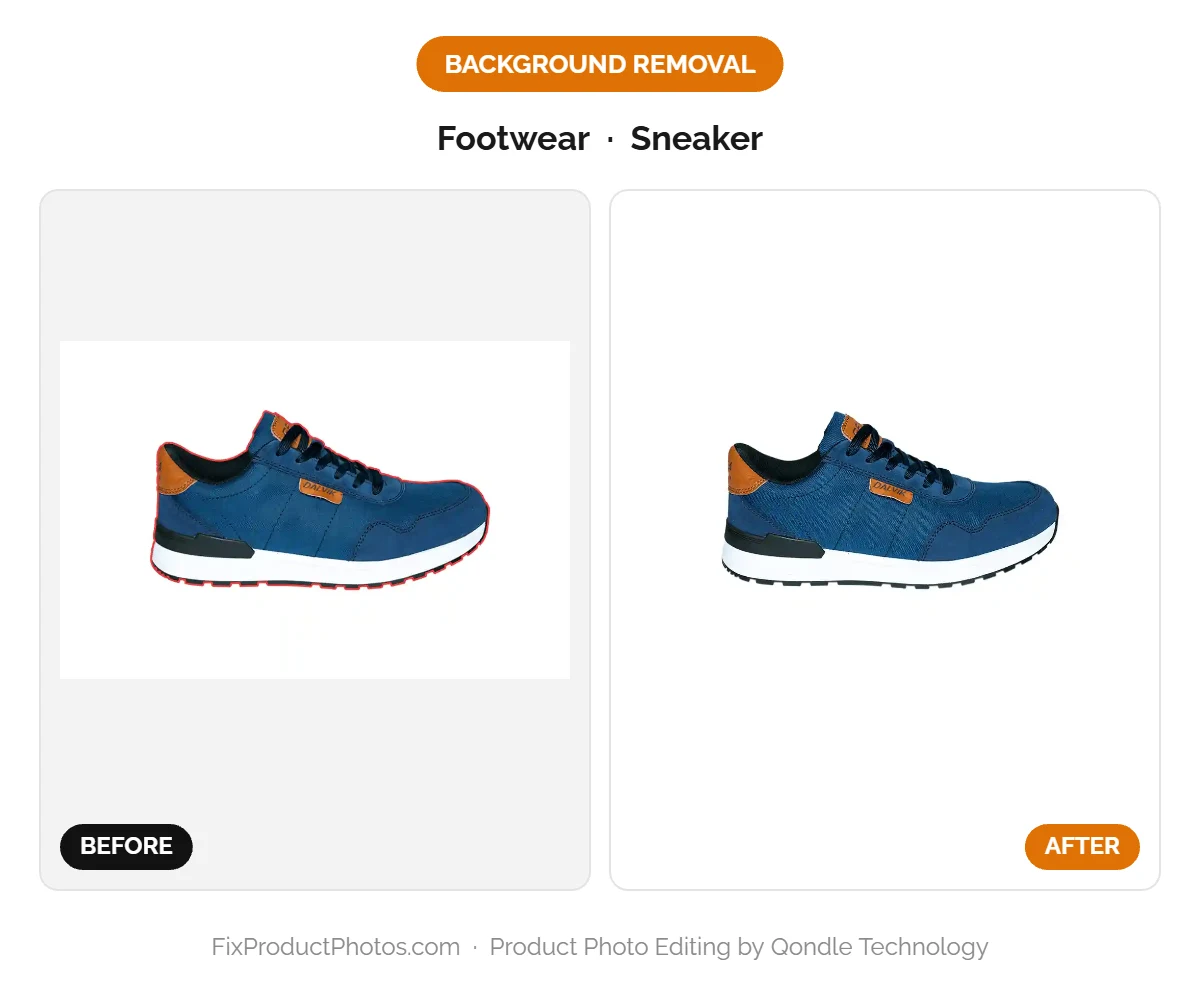
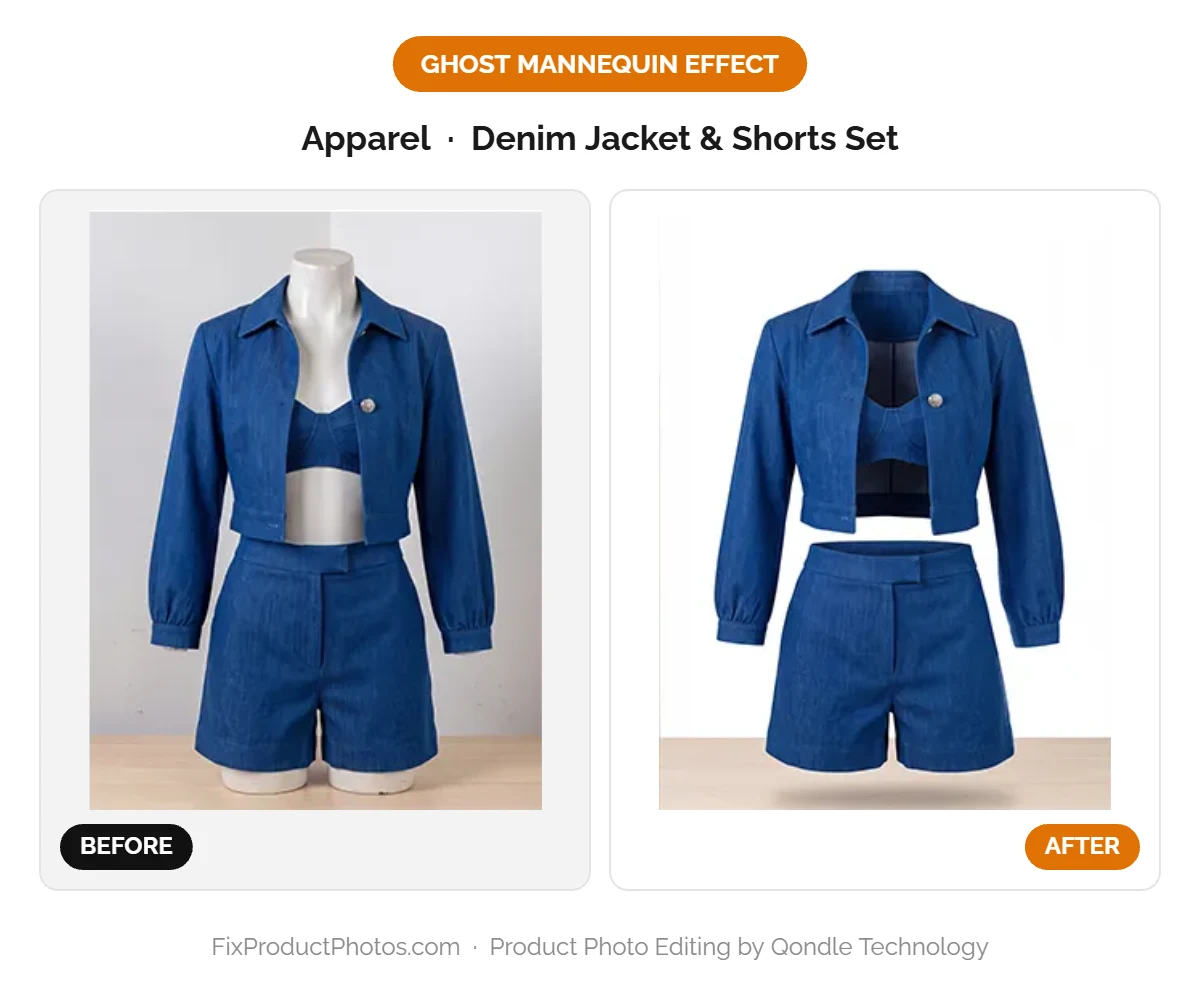
Before & After: Walmart-Ready Edits
Real product photos edited to marketplace standards: clean backgrounds, consistent framing and accurate color.

What Walmart Marketplace Expects
A listing that gets rejected on image format costs you time — getting it right before submission avoids the back-and-forth.
Pure White Main Image Background
Walmart’s main image needs a clean white background with no props, text, borders, or watermarks.
Ghost Mannequin for Apparel
Apparel main images typically can’t show a visible mannequin — we create the invisible-mannequin effect to meet this.
Correctly Framed Product
The product needs to be clearly visible and appropriately sized within the frame — not too small, not cropped.
Batch Consistency at Scale
Large Walmart catalogs need every SKU formatted to the same standard, not spot-checked one at a time.
Services We Recommend for Walmart Sellers
Pick what your catalog needs — every service starts with 3 free trial edits.
Background Removal & Clipping Path →
Pure white backgrounds formatted to marketplace main-image expectations.
Ghost Mannequin & Apparel Retouching →
Invisible-mannequin apparel shots with no visible mannequin in frame.
High-End Retouching →
Clean, consistent product presentation across your catalog.
Image Upscaling →
Higher-resolution output where your listing requires it.
Why Walmart Marketplace Has Its Own Photo Rules
Walmart is not like other online stores. When you sell on Walmart Marketplace, you have to follow Walmart’s own photo rules. These rules are strict. If you break one, Walmart can reject your photo. It can even hide your whole listing from shoppers. That is why sellers need to know these rules before they upload even one photo.
The first big rule is about the background. Walmart wants the main photo to sit on a plain white background. Not off-white, not cream, not light grey. It has to be clean, pure white, all the way around the product. Many sellers take photos at home or in a small studio, and the background is almost never a true white. That is where background removal and clipping path work comes in. It cuts the product out cleanly and drops it onto a true white background, so the photo passes Walmart’s check the first time.
The second big rule is about size. Walmart photos need to be big and sharp, so shoppers can zoom in and see small details before they buy. A lot of seller photos come from a phone, or get pulled off an old listing, and they are just not big enough for what Walmart wants. Image upscaling and resolution enhancement can take a smaller photo and grow it to the size Walmart needs, without making it look fuzzy or fake.
Walmart also grades every listing with something called a Listing Quality Score. Photos are a big part of that score, right alongside your title and product details. A low score means Walmart may show your listing lower in search, or stop showing it at all. Careful product retouching fixes dust, scratches, color problems, and odd shadows, which helps your score and helps shoppers trust what they are looking at.
A lot of sellers think Amazon rules and Walmart rules are the same thing. They are close, but they are not the same. Walmart’s exact size numbers, its swatch image rules, and its own quality scoring system all work a little differently than Amazon’s, so a photo set built only for Amazon can still get flagged on Walmart. Getting it right on Walmart means editing to Walmart’s own numbers, not just reusing whatever worked somewhere else.

What We Fix for Walmart Listings
Secondary & Lifestyle Image Editing
We clean up your angle shots, in-use photos, and feature close-ups so every image in the set looks like it belongs together.
Zoom-Ready Resolution Upscaling
We upscale soft or small photos up to Walmart’s recommended size, clearing the zoom minimum, without the blur you get from basic resizing tools.
Listing Quality Score Recovery
If poor images are dragging down your Walmart Listing Quality Score, we rebuild your photo set to Walmart’s content standards.
Text, Logo & Watermark Removal
Walmart rejects images with watermarks, seller logos, or promotional text baked into the photo. We clean those out completely.
Walmart’s Listing Quality Score and Why Images Matter
Walmart scores almost every listing on the site. This is called the Listing Quality Score, and it looks at three things together: your content (title, description, attributes, and images), your offer (price and shipping), and your account performance. Images sit right inside that content score, which means a weak photo set can drag down your whole score even when your price and shipping are perfectly competitive.
When a listing’s score drops too low, Walmart can stop showing it in search results altogether, not just rank it lower. That cutoff sits around the halfway mark: fall below it, and your item effectively disappears from the shelf shoppers actually browse, no matter how good the product is underneath.
This is why images matter so much more on Walmart than they might on your own website. A blurry photo, a background that’s slightly off-white, or a missing zoom-ready image doesn’t just look less professional, it can push your Listing Quality Score down far enough that Walmart hides the listing from search and makes it harder to win the Buy Box against other sellers carrying the same item.
Why Choose FixProductPhotos?
Free Trial, No Commitment
Upload a handful of your real photos and we’ll edit them the same way we’d edit your full order — no credit card, no contract, no pressure. You only pay once you’ve seen exactly what we can do with your own images.
24–48 Hour Turnaround
Most orders come back within 24 to 48 hours, even during busy seasons like holiday restocks. Need something sooner? Tell us the deadline and we’ll let you know if a rush turnaround is possible.
100% Satisfaction Guarantee
If an edited photo doesn’t look right, send it back and we’ll fix it — as many times as it takes, at no extra cost. We don’t consider an order finished until you’re genuinely happy with every image.
Dedicated Editing Team
Every photo passes through a trained human editor, then a second editor for quality control. We don’t run your images through a one-click filter and call it done — someone is actually looking at each one.
How It Works
Start Your Free Trial
Send us 3-5 sample photos through our free trial form. No payment info needed — we just want to show you what your images will look like after our team edits them.
We Edit It
A trained editor works on your photos by hand, then a second editor reviews every image before it goes back to you, so mistakes get caught before you ever see them.
Get Your Photos
Download your finished images in whatever format and size you need, ready to upload straight to your store, marketplace listing, or print file. Most orders ship back within 24 to 48 hours.
Helpful Guides From Our Editing Team
Practical, experience-based articles to help you shoot, prepare and list better product photos.
Frequently Asked Questions
Can you format images to avoid listing rejections for image format?
Yes — we format backgrounds, framing, and apparel shots to match common marketplace main-image expectations before you submit.
Do you handle ghost mannequin for apparel main images?
Yes, this is one of our core apparel services and is built specifically for this kind of requirement.
Can you process a large catalog consistently?
Yes — batch consistency across hundreds of SKUs is something we specifically QC for before delivery.
What if our raw photos aren’t shot on white already?
That’s fine — we remove and replace the background as part of the edit.
Is the free trial available for Walmart listing photos?
Yes — send 2-3 raw photos and we’ll return finished edits with no payment required.
Does Walmart really require a pure white background on product photos?Yes. Walmart’s seller guidelines call for the main image to sit on a seamless, pure white background. A background that’s cream, light grey, or slightly off-white can get the image rejected, even if it looks white to the eye on a normal screen.
What image size does Walmart need so zoom works on the listing page?Walmart’s guidelines call for a minimum pixel size to support zoom, with a larger size recommended as ideal. Anything smaller may upload fine but won’t let shoppers zoom in, which hurts how the listing looks on desktop and mobile.
How many photos should a Walmart listing have?Walmart recommends at least four images per listing, covering the main white-background shot plus different angles, close-ups, and any in-use or packaging shots that help a shopper understand the product.
Can I just reuse the same photos I already use on Amazon?Often not without changes. Amazon and Walmart both want clean, mostly white backgrounds, but their exact pixel minimums, swatch image rules, and content scoring systems aren’t identical. A photo set built only to Amazon’s spec can still get flagged on Walmart.
What is Walmart’s Listing Quality Score and how do photos affect it?It’s a score Walmart gives every listing based on content (title, description, attributes, and images), offer, and seller performance. Photos that are blurry, too small, off-background, or carry a watermark can pull the score down, and a low score can get a listing hidden from search entirely.
What file types and sizes does Walmart accept for product images?Walmart accepts common formats like JPEG and PNG, and each image file needs to stay under a set size limit. Images also need to be square and free of any added text, logos, or watermarks baked into the file itself.
Get Your Walmart Listings Edited, Free
Send 2–3 raw photos and see our quality firsthand — no payment required.
Get 3 Free Trial Edits